

0%
Bryce Parsons AI Product & Experience Designer
Bryce Parsons

Exploring human-AI products that responsibly augment human capabilities and enhance how people work, create, and travel.

Studying emerging technology design at UC Berkeley (MDes) with focus on human-AI interaction.

Worked five years in Product Design and Strategy consulting for clients including Microsoft, the Gates Foundation, Nintendo, and Gap Inc.

Angel investor and part-time work at Onlook (YC W25).

AI Agent Context Feature

Onlook (YC W25) July - August 2025
/ overview

Designed and shipped a context-adding feature enabling users to inject contextual information into AI prompts.

/ project info
role Lead Product Designer & Design Engineer
skills UX Research, Competitor Research, Prototyping
tools Cursor, Codex, Onlook, Figma.
/ website

Challenge and Background

Challenge

To enable users to effortlessly add contextual information to prompts for more accurate, relevant results in Onlook's Design-IDE AI Chat Interface.

Context

Onlook is a Y Combinator-backed company building a visual-first code editor that lets designers and product managers work directly in code.


While working at Onlook, I relied heavily on Notion, Cursor, and Slack. I became accustomed to using the '@' feature to add context in those tools that I found myself instinctively trying to use it while prompting in Onlook.


This friction sparked a hypothesis: if I have this muscle memory, our users likely do too.

Concept Map: Initial Problem Space Understanding

Problem Discovery & Validation

Current state experience example

Validating the problem

  • Conducted extensive product testing to understand the current state friction of adding context to prompts
  • Interviewed and observed users to understand the most commonly referenced contextual items and their process for adding them
  • Surveyed Onlook's Discord community to understand current state pain points related to adding context to AI Chats

Key findings

  • Manual retrieval forces users to switch contexts, breaking the flow required for rapid, iterative prototyping.
  • Users most frequently need to reference code components (e.g., headers) and brand styles (e.g., colors, fonts).
  • Users explicitly requested the ability to reference entire pages, not just the current view.
  • To speed up multi-turn prompting, users need quick access to their most recently used context.

Solution Ideation

Design principles

      Leverage Familiar Patterns: Minimize the learning curve by adopting the interaction models users already rely on in tools like Cursor, Notion, and Slack.

      Balance Human-User Needs with Agent Requirements: Create a simple abstracted interface for users while ensuring the agent receives the deep, structured context it needs to perform accurately.

Design Exploration

Prototyping & Testing

Functional Prototype

I built a functional prototype of the AI Agent Context Feature in code using Onlook's own tool. I then used this prototype to conduct usability tests with users.

Final Conceptual Model

Results

Outcome

AI Agent Context Adding Issue Resolved: Users now can seamlessly integrate context into AI-agent-prompts without interrupting their flow, resulting in an improved user experience, productivity, and increased agent performance.

Final solution in production

Collaborating with Onlook's technical-lead, I implemented the final solution using a combination of Cursor and Codex.

Impact

  • Enhanced AI response accuracy through improved contextual prompting
  • Streamlined user workflow eliminating manual context retrieval
  • Increased user satisfaction and time on project through better AI-agent interaction experience
Growth Design

Onlook (YC W25) July - August 2025
/ overview

Led end-to-end research, design, and prototyping to increase new-user retention through a revamped onboarding flow, streamlined publishing, and collaborative sharing features.

/ project info
role Lead Product Designer & Design Engineer
skills UX Research, Competitor Research, Prototyping
tools Cursor, Codex, Onlook, Figma.
/ website

Challenge & Background

Challenge

Increase new user retention, conversion to paid subscribers, and grow Onlook's active user base.

Background & Context

In-session analytics revealed critical drop-off points where users abandoned their sessions and workflows before completing key actions in Onlook's product. This indicated insufficient product onboarding and user experience around key features, resulting in poor business growth metrics.


Daniel, Onlook's CEO and Product Design Lead, challenged me to address the retention and growth issues through strategic design decisions.

Problem Discovery & Validation

Research Objectives

  • Why do users struggle to discover and adopt Onlook's current features?
  • What are the "core" features that all users should discover?
  • Which features are most important for driving growth? Do they exist in the current state?

Current State UX Friction Points

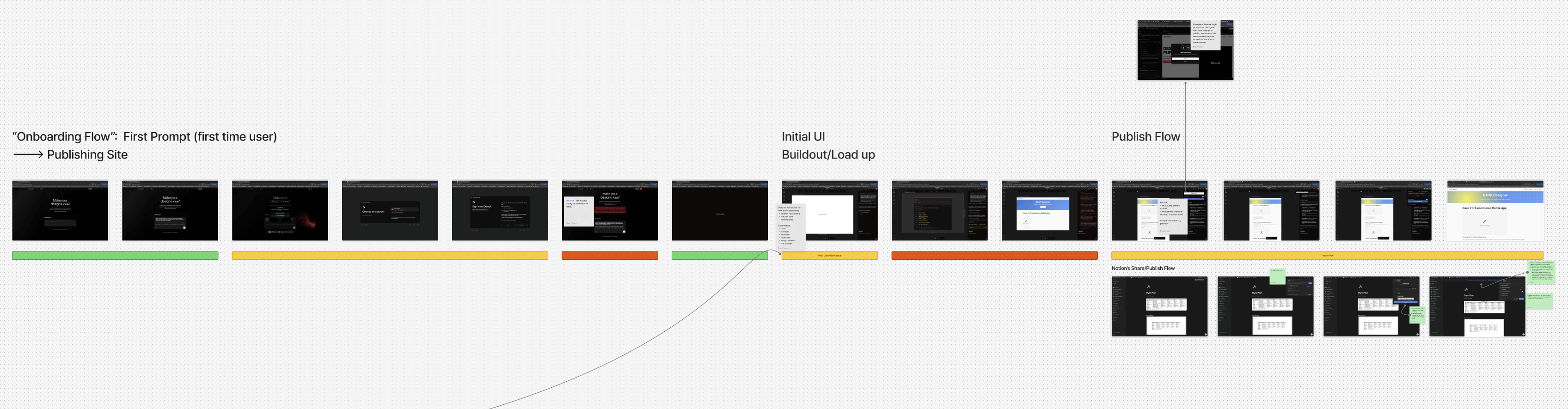
Onboarding User Journey & Friction Analysis

Findings

  • Onlook onboards some new users manually but does not have a self-service onboarding flow—something users requested.
  • New users perceive the platform as complex with numerous feature offerings.
  • Engagement with "Site Publishing" and "Custom Domain Hosting" features leads to higher user conversion and retention.
  • Onlook's core features: AI Chat, Design Panel (Brand Styles), Code Window, Design-Preview Toggle, Site Publishing, and Custom Domain Hosting.

Solution Ideation: Onboarding Flow

Approach

Addressing initial findings that there is demand for a self-service onboarding flow and that new users perceive the platform as complex with numerous feature offerings—I ideated on the prompt, "How might we create an intuitive and informative core-feature onboarding experience to drive adoption and retention?"

Solution Exploration and Ideation

Solution Ideation: Publish & Share Features

Approach

Addressing initial finding that engagement with "Site Publishing" and "Custom Domain Hosting" features leads to higher user conversion and retention—I ideated on the prompt, "How might we encourage discovery and completion of site publishing and custom domain flows?"


Additionally, "How might we spur new user growth through strategic design and product decisions?"

Solution Exploration and Ideation

Solution Development: Onboarding Flow

Onboarding Feature Overview

  • Flow initializes as the product loads in the background
  • Focuses on core-features
  • Interactive to encourage user-engagement

Onboarding Prototype Demo

Solution Development: Publish & Share Features

Publish & Custom Domain Features

  • Added an attention-grabbing vertical carousel to the Publish/Share button to drive feature discovery and engagement.
  • Enhanced the Publish/Share modal with improved loading states and preview functionality to increase publish flow completion by boosting user confidence and reducing decision fatigue.
  • Sequenced the Custom Domain call-to-action to appear after site publication, capitalizing on completion momentum to drive higher adoption of premium features.

Sharing Feature

Designed a sharing feature integrated into the existing publish modal, drawing on proven design patterns from Figma, Notion, and Framer to create an intuitive experience that encourages viral growth through network effects.

Share Feature Prototype Demo

Results

Outcomes

  • Increased new user retention through improved feature awareness and enhanced publish flow
  • Increased revenue due to higher conversion to paid subscriptions via optimized add custom domain flow
  • Improved collaboration and user growth through frictionless sharing capabilities

Key Success Metrics Defined

  • User retention rate improvements
  • Conversion rate from free to paid plans
  • Publish completion rates
  • Custom domain addition rates
  • User session duration and feature adoption
  • Monthly Active Users (MAU)

Archetype

Simulated User Testing September 2025 - Present
/ overview

Building a tool for product teams to test software with their target customers using generative agents

/ project info
role Design & Product Lead
skills Product Design, Prototyping, Front-end Development, Product Strategy, GTM Strategy, User Research.
tools Cursor, Codex, Claude Code, Figma.

Problem Space

To understand the problem and opportunity space, I created a concept map that contrasts the current-state Product Development Lifecycle (PDLC)—which validates solutions using traditional methods—against a proposed future PDLC that integrates human user feedback with synthetic user insight.

Ideation & Prototyping

Conceptual Modeling

Collaboratively drafted a conceptual model of our product testing platform with my two co-founders. This model serves as a boundary object for the product's scope and a foundation for the development of both the frontend and backend of the platform.

Interactive Prototype

Based on the product's conceptual model, I designed and developed a fully interactive prototype of the front-end.

Solution Implementation

Result

We are live and available for demos. We're still working on developing the system to be as human-behaviorally accurate as possible—however in its current state users can do the following:

  • Describe the product and feature they want to test.
  • Link to a live prototype or demo.
  • Define tester user persona and testing hypotheses.
  • Launch simulations using AI-generated users that embody the selected personas.
  • Generate a comprehensive report with insights about user tests.

Tech-stack

  • Agentic Simulation: Google Gemini, Browser-use (YC W25) API + Python Playwright, Agentmail (YC S25)
  • Persona generation and dimensions: Google Gemini
  • Web framework: React + Python Flask + AWS

Product Demo

Brought to you by Synthetic Archetype

Reflections

I am incredibly proud of our work thus far.

In particular, I value the rigorous design process we followed: beginning with a basic concept map to define the problem space, collaboratively developing a conceptual model of the solution (which remains a constant point of reference), and finally, realizing the efficacy of prototyping and designing directly in code.


In retrospect, I wish we had focused more effort upfront on validating the accuracy of the simulated user behaviors. While foundational research like Park et al.'s "Generative Agents: Interactive Simulacra of Human Behavior" confirmed that such simulations were possible, refining our system into a usable product has required significant, ongoing backend changes to the agent architecture.

Additional Information & Resources